Actions
Bug #291
openVerify uploaded child document is retained after saving the employee record
Start date:
07/15/2026
Due date:
% Done:
100%
Estimated time:
Platform:
Web
Description
| Field | Details |
|---|---|
| Test Case ID | TC_EMP_CHD_018 |
| Title | Verify uploaded child document is retained after saving the employee record |
| Module | HRMS – Employee Management – Children |
| Priority | High |
| Test Type | Functional |
| Preconditions | 1. User is logged into the application. 2. An employee record exists. 3. User navigates to Edit Employee → Children. |
| Test Data | Valid document (PDF/JPG/PNG within the allowed file size). |
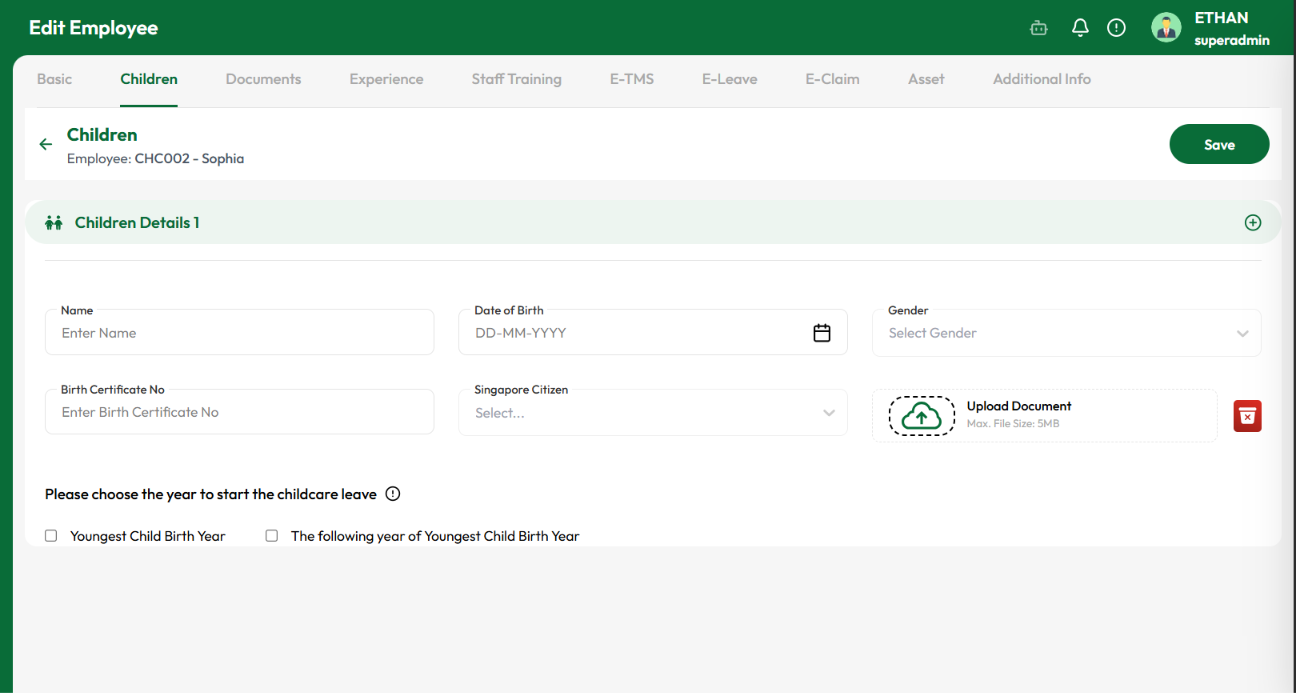
| Test Steps | 1. Open Edit Employee → Children. 2. Upload a valid document in the Upload Document field. 3. Fill in the required details. 4. Click Save. 5. Reopen the Children section or refresh the page. 6. Verify the uploaded document. |
| Expected Result | The uploaded document should be successfully saved and remain visible/available after saving the employee record. The user should be able to view, download, or remove the uploaded document. |
| Actual Result | After clicking Save, the uploaded document disappears from the Upload Document field and is no longer associated with the child record. |
| Status (Pass/Fail) | Fail |
| Reported By (Date) | Raja MK (15-07-2026) |
Files
No data to display
Actions