Actions
Bug #473
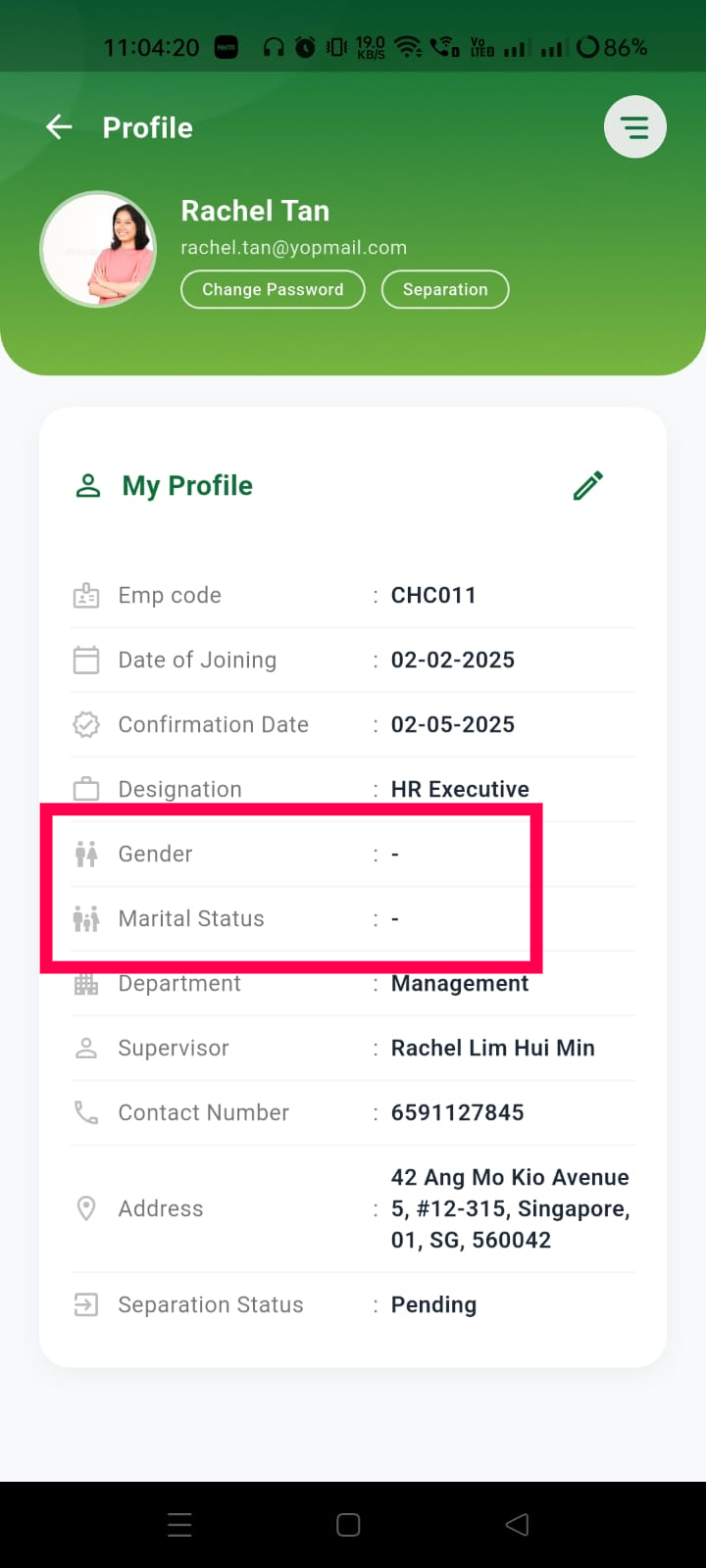
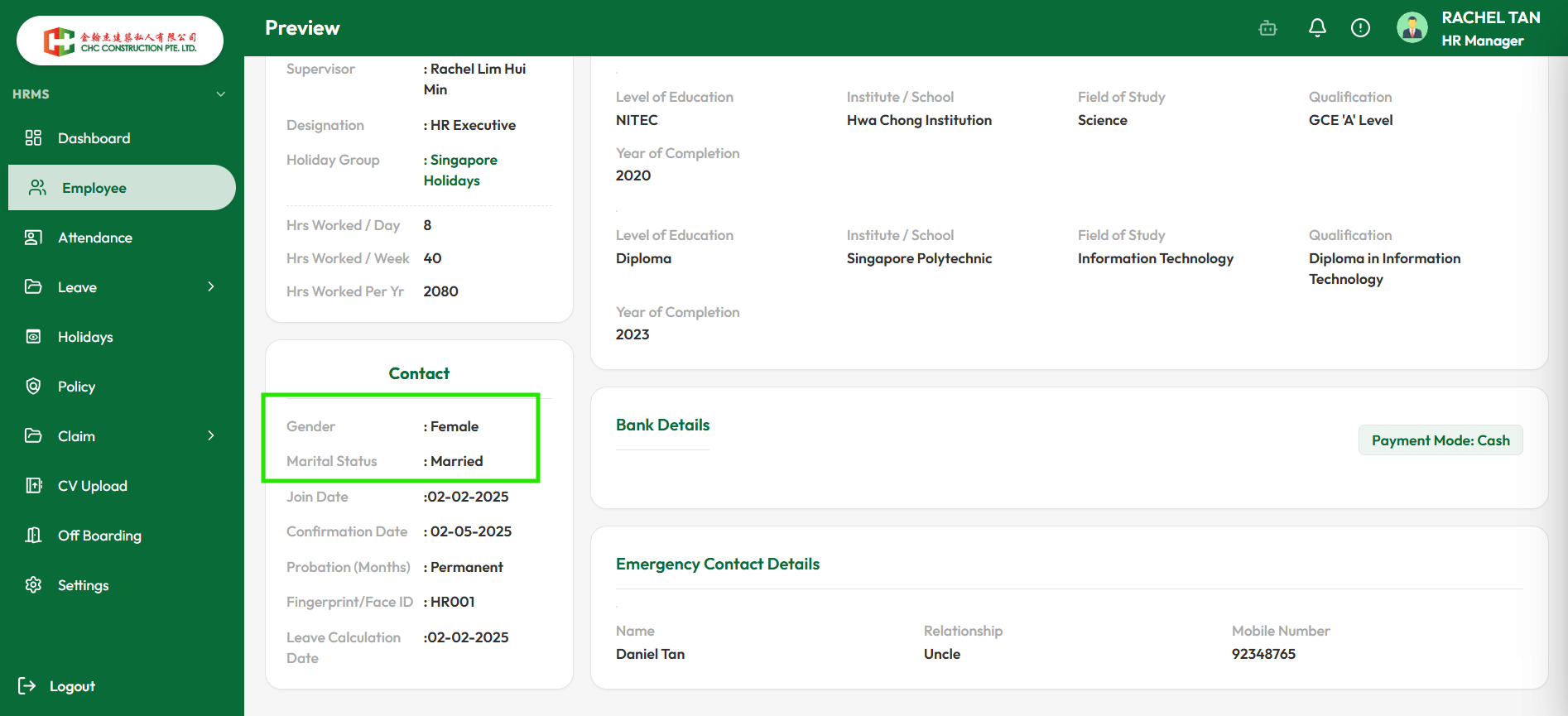
openVerify Gender and Marital Status are displayed correctly in the Mobile Profile
Start date:
07/31/2026
Due date:
% Done:
0%
Estimated time:
Platform:
Android
Description
| Test Case ID | TC_MOB_PRO_001 |
|---|---|
| Title | Verify Gender and Marital Status are displayed correctly in the Mobile Profile |
| Module | Mobile HRMS – My Profile |
| Priority | Medium |
| Test Type | Functional / Data Validation |
| Preconditions | Employee account exists with Gender and Marital Status configured in the Web HRMS. |
| Test Data | Gender: Female, Marital Status: Married |
| Test Steps | 1. Log in to the Web HRMS and verify the employee's Gender and Marital Status. 2. Log in to the Mobile HRMS using the same employee account. 3. Navigate to Profile → My Profile. 4. Check the Gender and Marital Status fields. |
| Expected Result | The Mobile HRMS displays the same Gender and Marital Status values as configured in the Web HRMS (e.g., Female and Married) without displaying "-" or blank values. |
Files
Actions