Actions
Enhancement #520
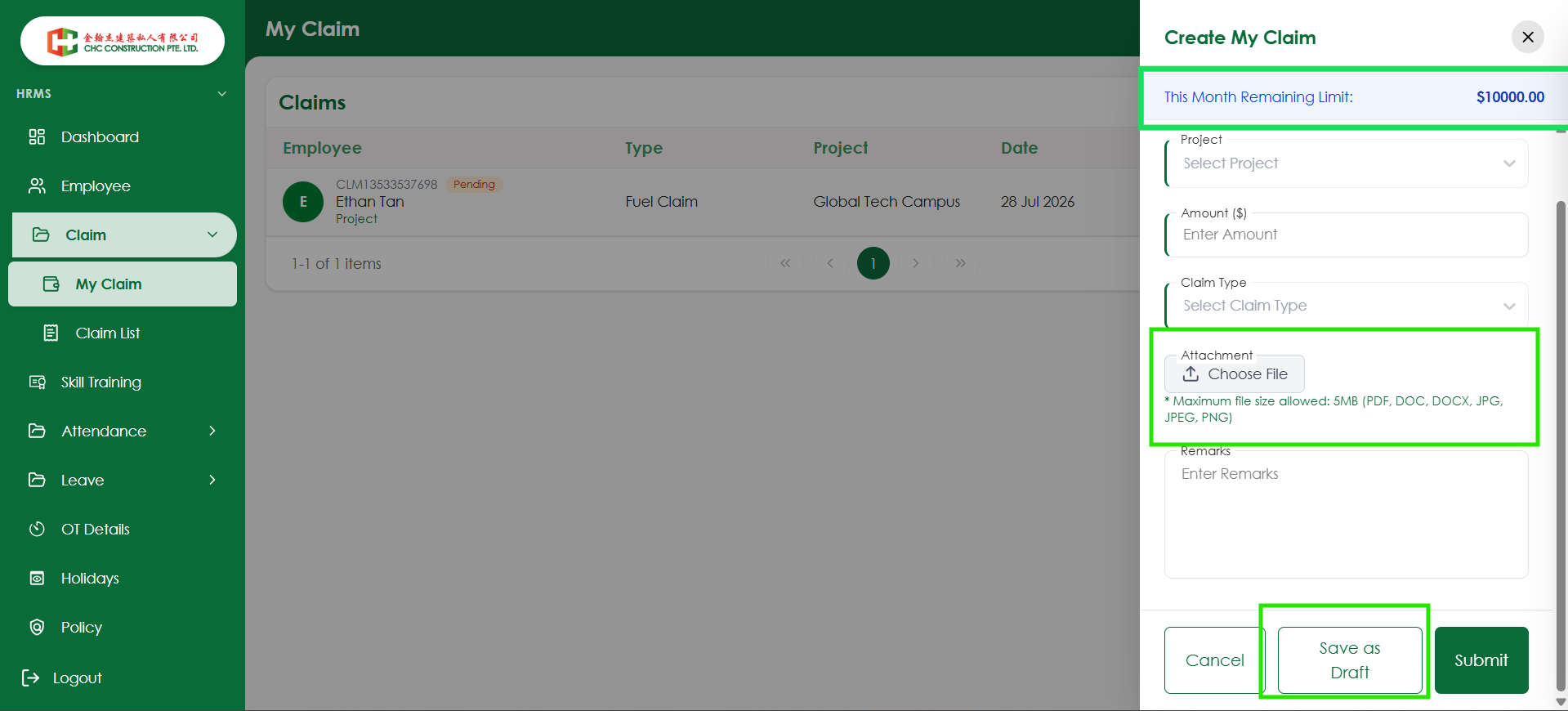
openVerify Remaining Claim Limit is displayed on the Claim screen
Start date:
08/06/2026
Due date:
% Done:
0%
Estimated time:
Platform:
Android
Description
| Test Case ID | TC_CLM_004 |
|---|---|
| Module | Mobile - Claim |
| Test Scenario | Verify Remaining Claim Limit is displayed on the Claim screen |
| Precondition | User has an eligible claim limit |
| Test Steps | 1. Open the Mobile application. 2. Navigate to the Claim creation screen. 3. Observe the claim details section. |
| Expected Result | The Remaining Claim Limit is displayed and matches the value shown in the Web application. |
| Priority | Medium |
| Testing Type | Functional / UI |
Files
Actions