Actions
Bug #522
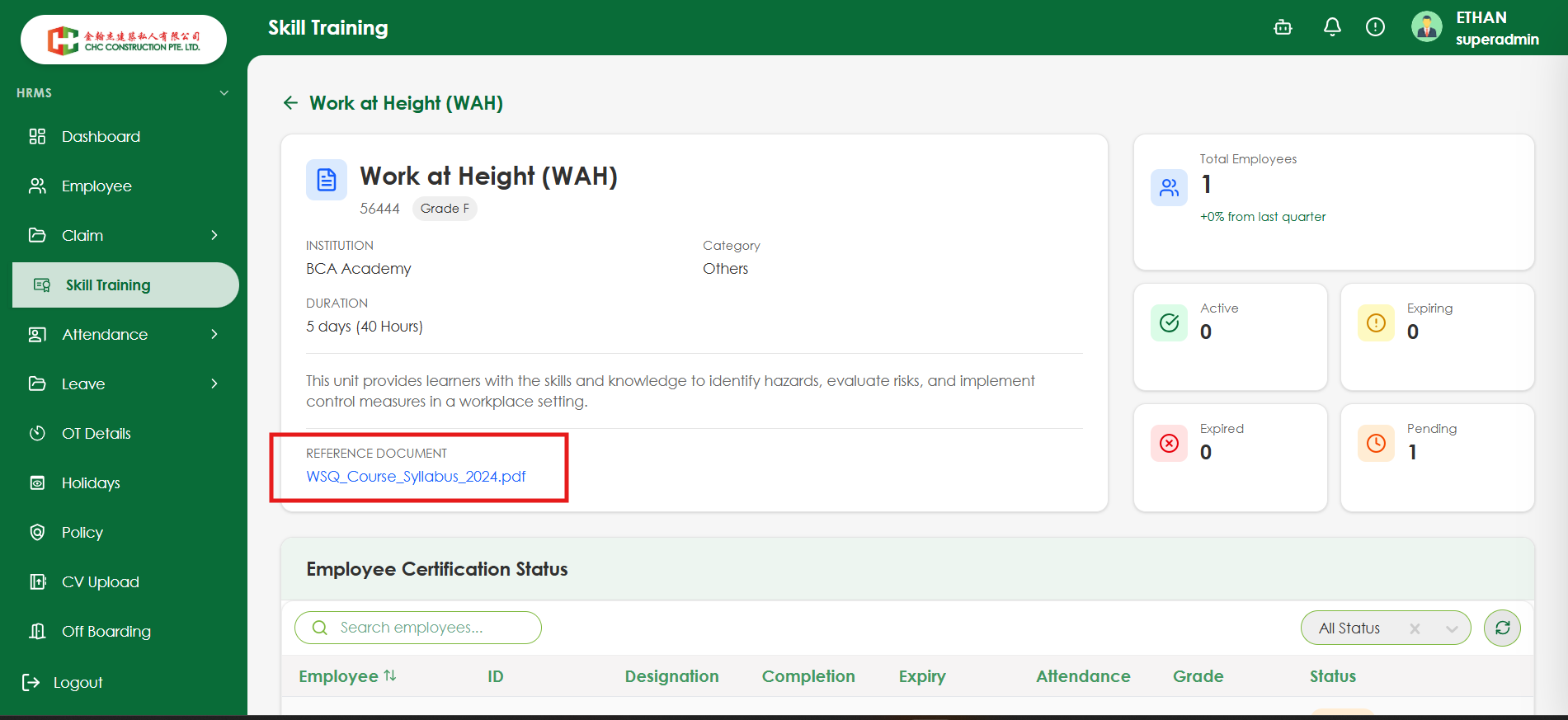
openVerify the Reference Document is displayed dynamically based on the selected Skill Training certificate
Start date:
08/07/2026
Due date:
% Done:
0%
Estimated time:
Platform:
Web
Description
| Test Case ID | TC_ST_021 |
|---|---|
| Test Case | Verify the Reference Document is displayed dynamically based on the selected Skill Training certificate |
| Module | Skill Training |
| Priority | Medium |
| Testing Type | Functional |
| Precondition | Multiple Skill Training certificates exist with different reference documents (or some without a reference document). |
| Test Steps | 1. Login as HR Admin. 2. Navigate to HRMS → Skill Training. 3. Open a Skill Training certificate and note the Reference Document. 4. Open another Skill Training certificate. 5. Compare the Reference Document displayed for both certificates. 6. Open a certificate that has no reference document (if available). |
| Expected Result | The Reference Document should be displayed dynamically based on the selected Skill Training certificate. Each certificate should show its own associated document. If no reference document is available, the system should display "No Reference Document Available" or hide the Reference Document section. |
Files
No data to display
Actions