Actions
Bug #564
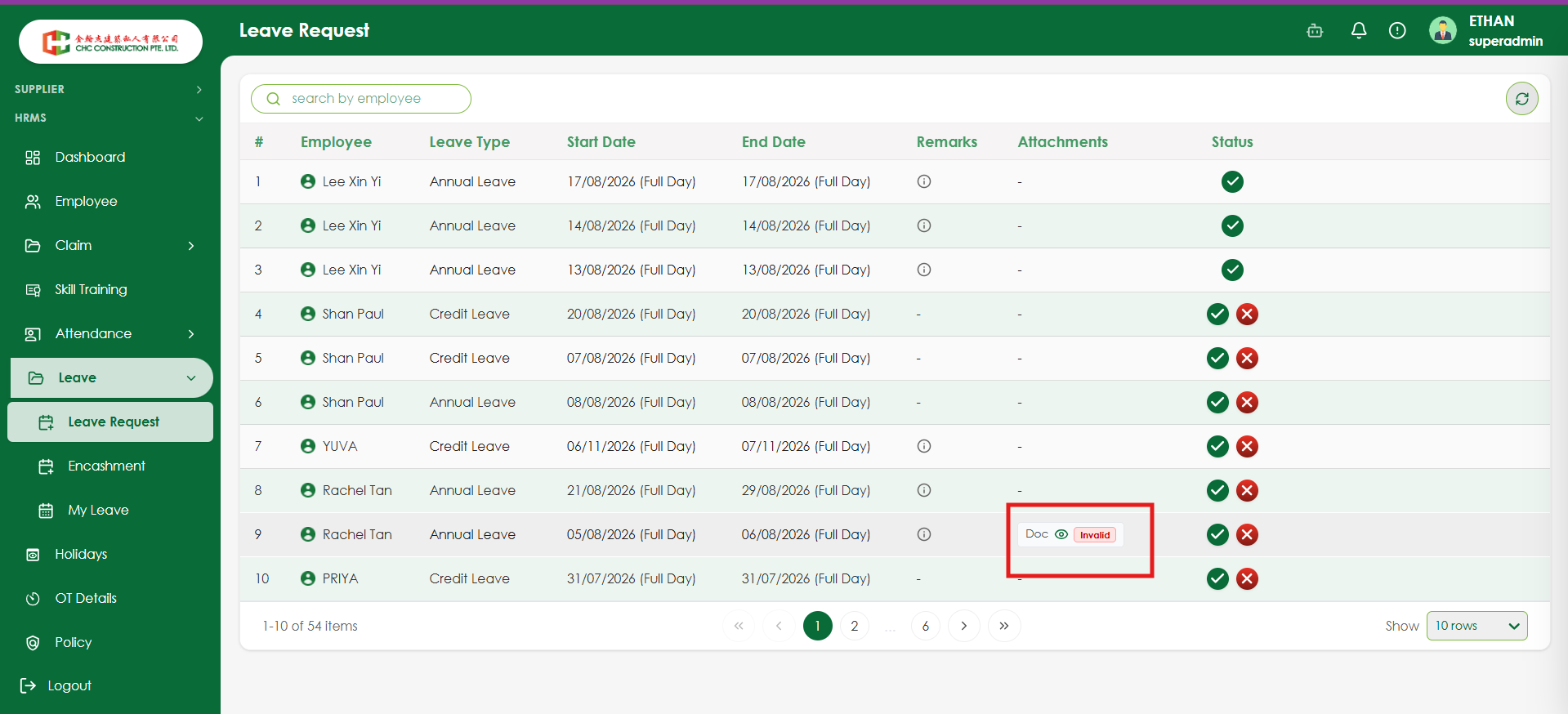
openVerify that a meaningful message is displayed when an invalid attachment is uploaded
Start date:
08/19/2026
Due date:
% Done:
0%
Estimated time:
Platform:
Web
Description
| Field | Details |
|---|---|
| Test Case ID | TC_LR_XXX |
| Module | Leave Management |
| Feature | Leave Request – Attachment Validation |
| Test Scenario | Verify that a meaningful message is displayed when an invalid attachment is uploaded |
| Priority | Medium |
| Testing Type | Functional Testing / UI Validation |
| Precondition | User should be logged in and have access to the Leave Request module. A leave request with an invalid attachment should be available. |
| Test Data | Upload an unsupported or invalid attachment file |
| Steps | 1. Navigate to Leave → Leave Request. 2. Create or open a leave request. 3. Upload an invalid/unsupported attachment. 4. Submit the leave request. 5. Navigate to the Leave Request list. 6. Check the Attachments column for the submitted request. 7. Hover over or click the Invalid attachment indicator. |
| Expected Result | The system should clearly indicate that the attachment is invalid and display a meaningful, user-friendly message explaining the reason, such as unsupported file type, invalid file format, or file size exceeding the allowed limit. Technical/internal error messages should not be displayed. |
| Actual Result | The attachment is displayed as “Invalid”, but no meaningful reason is provided to the user. |
| Status | Fail |
| Defect Priority | Medium |
| Testing Type | Functional + UI/Validation Testing |
Files
No data to display
Actions