Actions
Bug #437
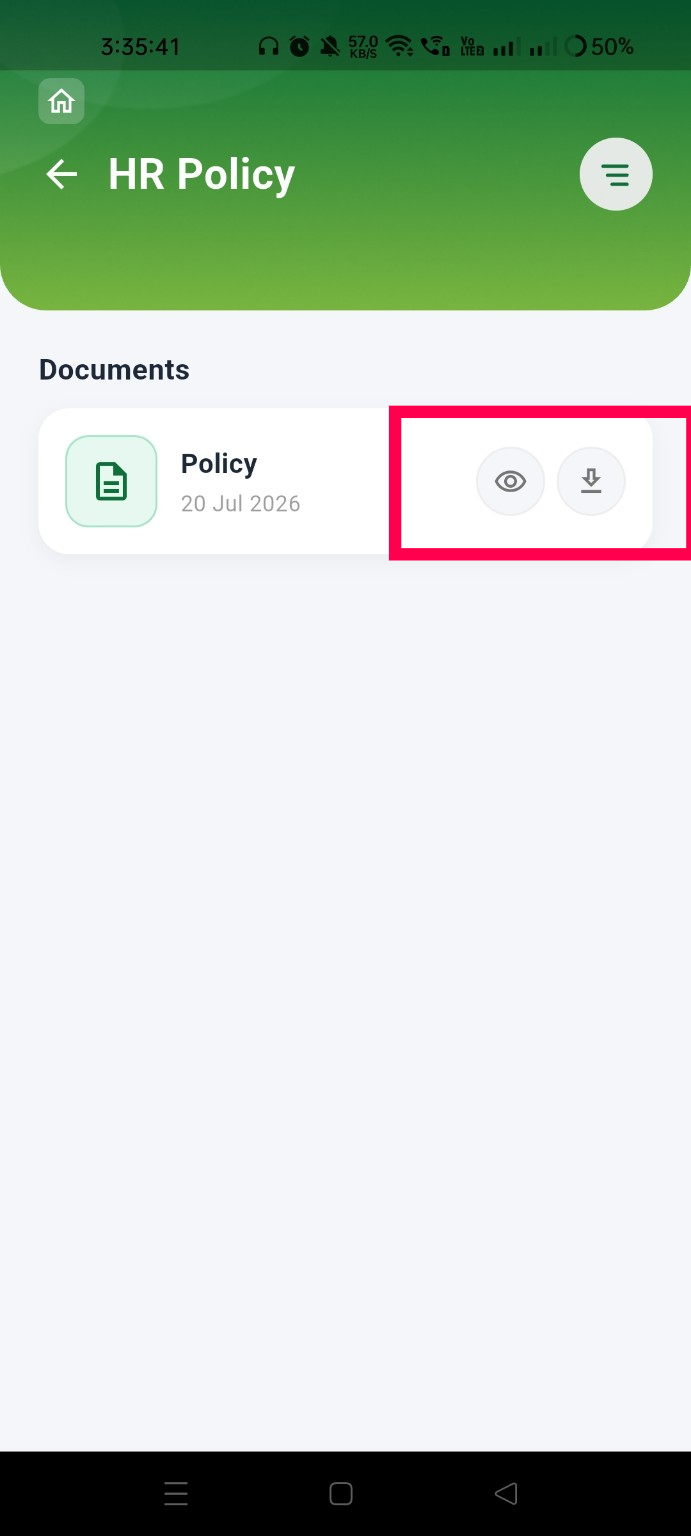
closedVerify that the Download icon downloads the selected document instead of opening it in preview mode
Start date:
07/28/2026
Due date:
% Done:
0%
Estimated time:
Platform:
Android
Description
| Field | Details |
|---|---|
| Test Case ID | TC_HRP_018 |
| Module | HR Policy |
| Feature | View & Download Document |
| Test Case Title | Verify that the Download icon downloads the selected document instead of opening it in preview mode |
| Testing Type | Functional Testing |
| Precondition | User is logged in and at least one HR Policy document is available with both View and Download icons. |
| Steps | 1. Navigate to the HR Policy module. 2. Locate a policy document. 3. Click the View icon and verify the document opens in preview mode. 4. Close the preview. 5. Click the Download icon for the same document. |
| Expected Result | Clicking the View icon should open the document in preview mode. Clicking the Download icon should download the document to the device instead of opening it in preview mode. |
| Actual Result | Both the View and Download icons open the document in preview mode. The document is not downloaded. |
| Severity | Medium |
| Priority | Medium |
| Status | Fail |
Files
Actions