Actions
Bug #441
closedVerify that worked hours displayed on the Dashboard match the Attendance List
Start date:
07/28/2026
Due date:
% Done:
100%
Estimated time:
Platform:
Android
Description
| Field | Details |
|---|---|
| Test Case ID | TC_ATT_022 |
| Module | Attendance |
| Feature | Worked Hours Display |
| Test Case Title | Verify that worked hours displayed on the Dashboard match the Attendance List |
| Testing Type | Functional Testing |
| Precondition | User has attendance records with valid check-in and check-out times, and worked hours are calculated. |
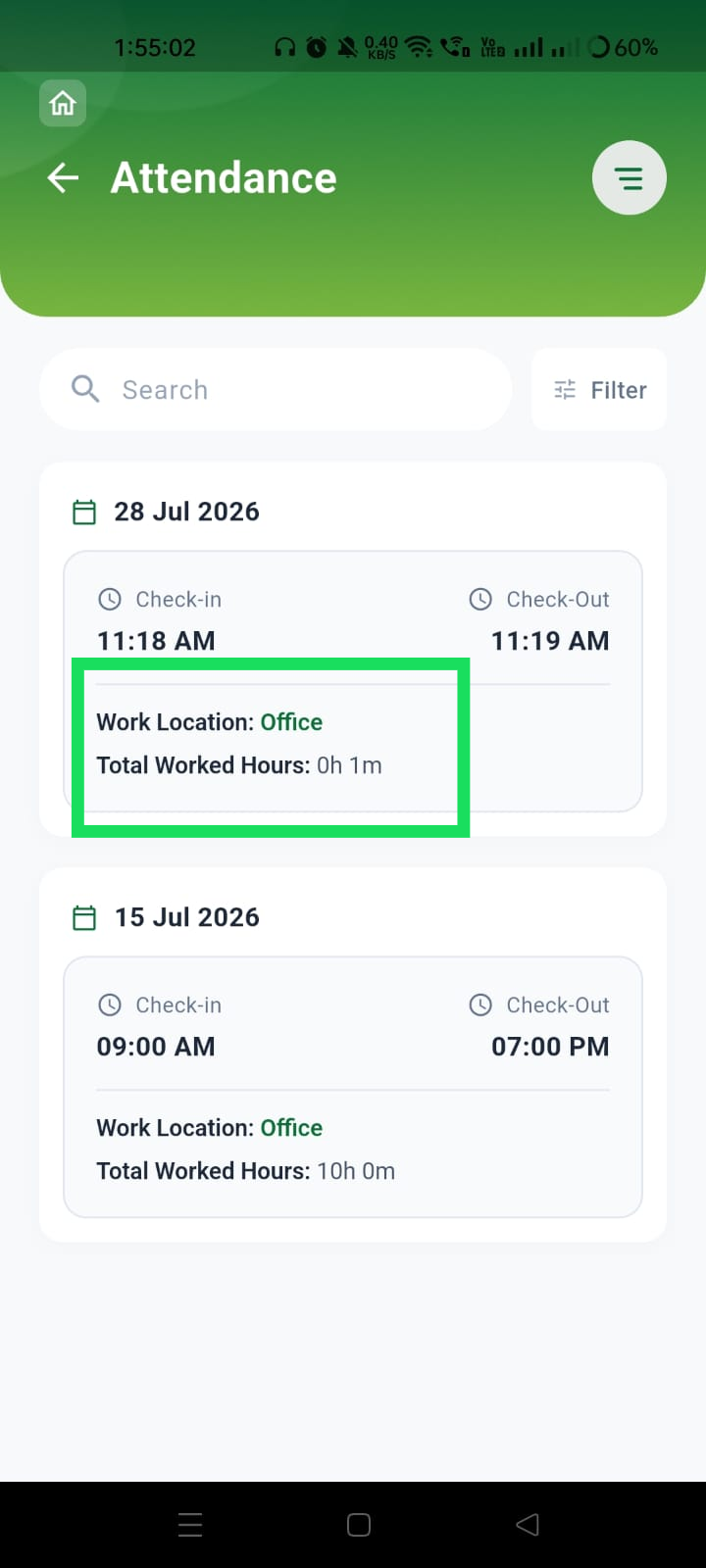
| Steps | 1. Log in to the mobile application. 2. Navigate to the Attendance List page. 3. Note the worked hours for a completed attendance record (e.g., 0h 1m or 10h 0m). 4. Navigate to the Dashboard. 5. Verify the worked hours displayed for the same attendance record. |
| Expected Result | The Dashboard should display the same worked hours as shown in the Attendance List for the corresponding attendance record. |
| Actual Result | The Attendance List correctly displays the worked hours (e.g., 0h 1m, 10h 0m), but the Dashboard displays "-" instead of the actual worked hours. |
| Severity | Medium |
| Priority | High |
Files
Actions