Actions
Bug #499
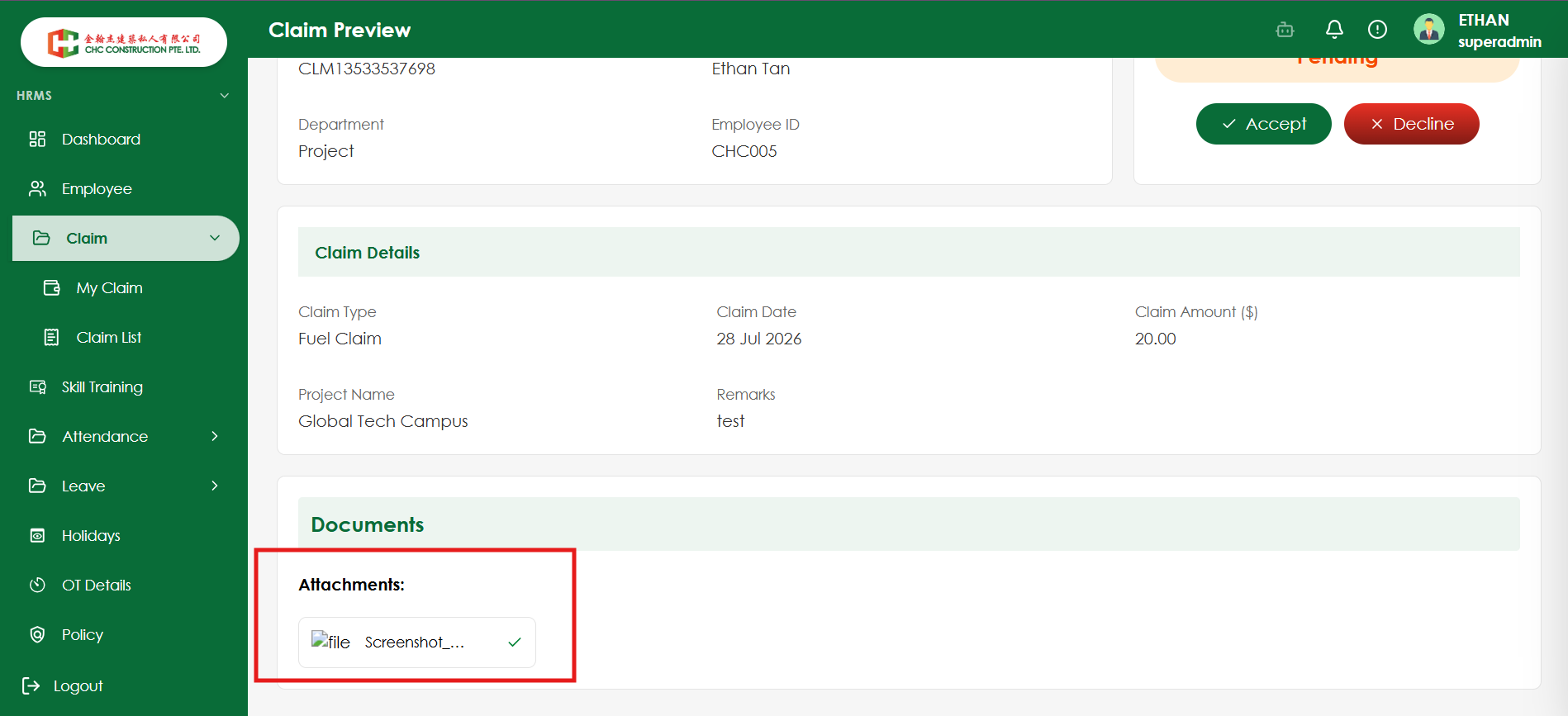
closedVerify uploaded attachment is displayed in Claim View mode
Start date:
08/04/2026
Due date:
% Done:
0%
Estimated time:
Platform:
Web
Description
| Test Case ID | TC_CLM_013 |
|---|---|
| Test Case Title | Verify uploaded attachment is displayed in Claim View mode |
| Module | My Claims |
| Feature | Attachment |
| Priority | High |
| Severity | Major |
| Precondition | User is logged in and has permission to create/view claims. |
| Test Steps | 1. Navigate to My Claims. 2. Create a new claim. 3. Upload a valid attachment (PDF/DOC/DOCX/JPG/JPEG/PNG within the allowed size). 4. Submit the claim successfully. 5. Open the submitted claim in View mode. 6. Verify the Attachment section. |
| Test Data | Valid attachment file (e.g., receipt.pdf or invoice.jpg) |
| Expected Result | The uploaded attachment should be displayed in the View page with the correct file name, and the user should be able to view/open/download the document successfully. |
| Testing Type | Functional, UI, Regression |
Files
Actions